Your designs and the project file
Home and its design cards, the designs kept on this device, a design's menu, and the project file that carries a design to another device.
SolarLayout Rooftop keeps your designs in the browser, on the device you design on. Home lists them as cards. The project file holds one whole design in one file, to open again in the app on another device or to send to a colleague.
Free, no account needed. Your designs are kept on this device. A design on one device is not on another: the project file carries it across.
Home
Home is the app's start, at rooftop.solarlayout.app. From the top:
- the logo, and Docs at the right, which opens these pages in a new tab;
- the title Rooftop PV design and its line;
- the search, Address or coordinates with Find the roof, and under it Use my location, Enter the roof by hand, Import a drawing and Open a project file;
- Your designs · on this device, with the count, "1 design" or "<n> designs", when there are some;
- the Try the demo card, last.
With no designs on the device, Home is the search, its ways in and the demo card. With designs, the cards come first under the search, and the search stays at the top as the page scrolls. See Open Rooftop for the search and the ways in.
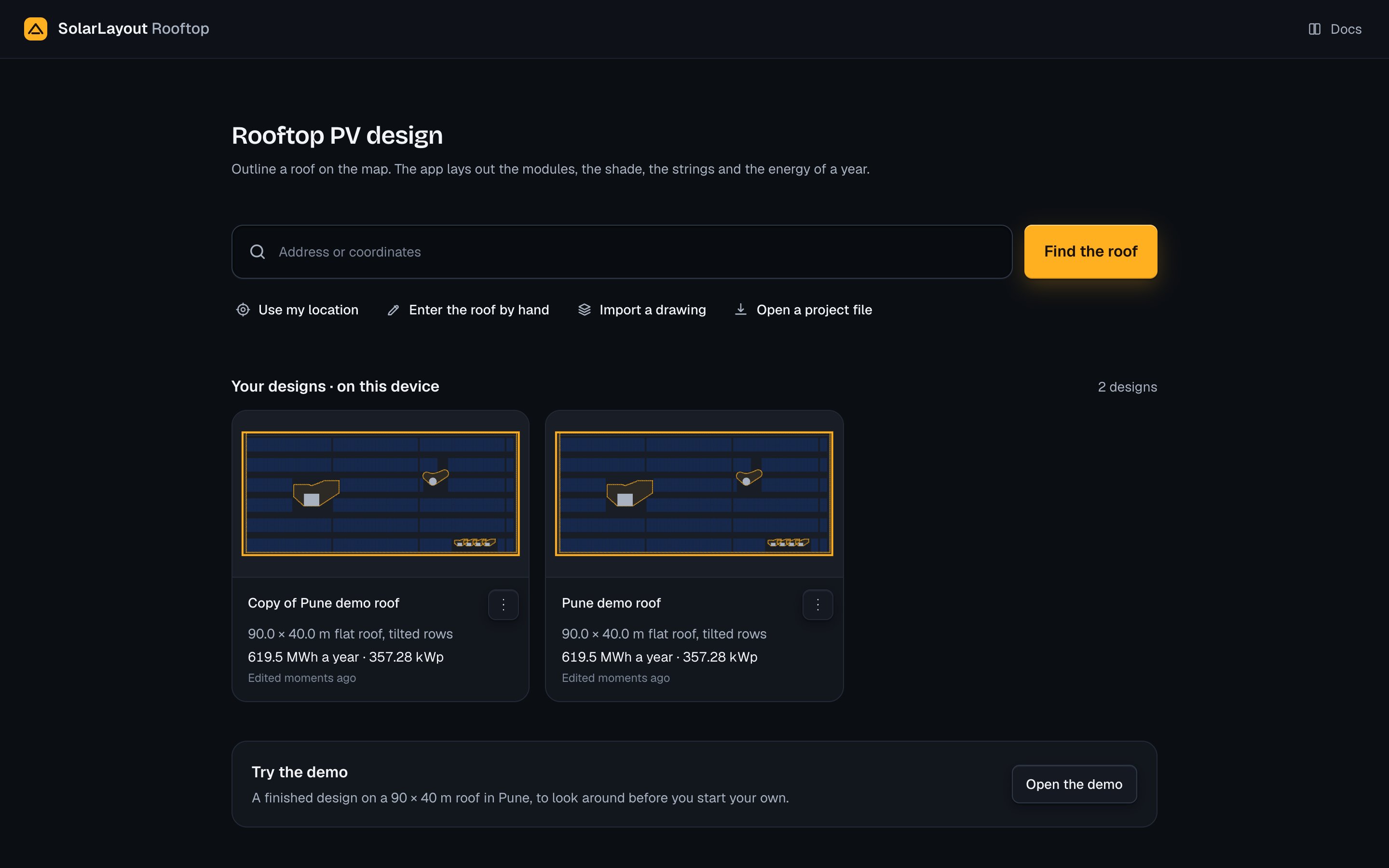
The cards stand three to a row on a computer, two on a tablet and one on a phone, the last edited first. Each card shows:
| Part | What it shows |
|---|---|
| The picture | A plan of the roof and its array. Press it to open the design |
| The name | Press it to open the design |
| ⋯ (Menu) | The design's menu: see A design's menu |
| The roof | Its size and its type in words; for a roof that is not a rectangle, its area in m² |
| The figures | After a run, the energy and the DC capacity: "<x.x> MWh a year · <x.xx> kWp". Before a run, none |
| When it was edited | "Edited moments ago", "Edited 5 minutes ago", "Edited yesterday", "Edited 3 days ago", then the date, such as "Edited 17 Sep 2026" |
A design opens in the Studio at the step you last had open in the Studio in this visit, Roof, Array or Strings; after a reload, at Roof. It runs again as it opens.
On this device
A design is kept in this browser, on this device. Nothing is kept on a server, and nothing is tied to an account. So:
- a design made in one browser is not in another browser on the same device;
- a design made on a phone is not on your computer;
- to move a design, download its project file on the first device and open it on the second.
Each design kept holds its name, the whole design, a plan of it for its card, its last figures, and when it was last edited and opened. Its results are not kept: a design opened again runs again.
A design is saved by itself shortly after each change, and at once when you leave the page. The demo and a design not yet changed are not kept until their first change; from then on they are designs like any other. See Saving for the saved mark and its words.
After a reload, the design that was open opens again. If this device does not hold it, the demo opens instead.
In the Studio, Performance and Handover, the design's name in the top bar opens the project menu. Its list On this device holds the other designs kept here, the last edited first, each with its figures; press one to open it.
The project file
The project file (.rtd) is the whole design in one file. It holds:
- the name and the place's name;
- the roof: its outline, its latitude and longitude, its type, the parapet height, the edge margin, the walkways, the clearance around obstacles, the roof albedo, the roof pitch and its direction, how the roof was entered, and the obstacles;
- the array, and the losses;
- the module file and the inverter file, each by its name and its whole text, when they are your own;
- the weather: its source, the year of hours itself, and a CSV's name and text;
- the system voltage and who set it; the cell temperature rise, the sizing temperatures, the MPPT current limit and the Voc coefficient when set; and the AC cable length;
- the chosen option, and your own option.
It holds no results: no layout, no options, no energy, no files. The design runs again when the file is opened. Most of the file is the year of weather it carries: the demo's project file is 680 KB.
Download it from any of these:
| Where | The control |
|---|---|
| The project menu, under the design's name in the top bar | Download the project file |
| A card's menu on Home | Download the project file, without opening the design |
| Handover, the row Project file | Its download button, or Download RTD in its preview |
| Handover, Download all | The zip holds the project file beside the other files |
The file is named after the design: the words of its name joined by hyphens,
at most 80 characters, such as Pune-demo-roof.rtd. See
Project file for its row on Handover.
A design's menu
Press ⋯ on a design's card to open its menu.
| Item | What it does |
|---|---|
| Open | Opens the design in the Studio |
| Rename | The name becomes a field on the card. Press Enter, or leave the field, to keep the name; Escape gives the old one back. A name is needed, at most 200 characters |
| Duplicate | Keeps a copy, "Copy of <name>", as a design of its own, and opens it in the Studio |
| Download the project file | Downloads the design's project file, without opening it |
| Delete | Asks first, then deletes the design from this device |
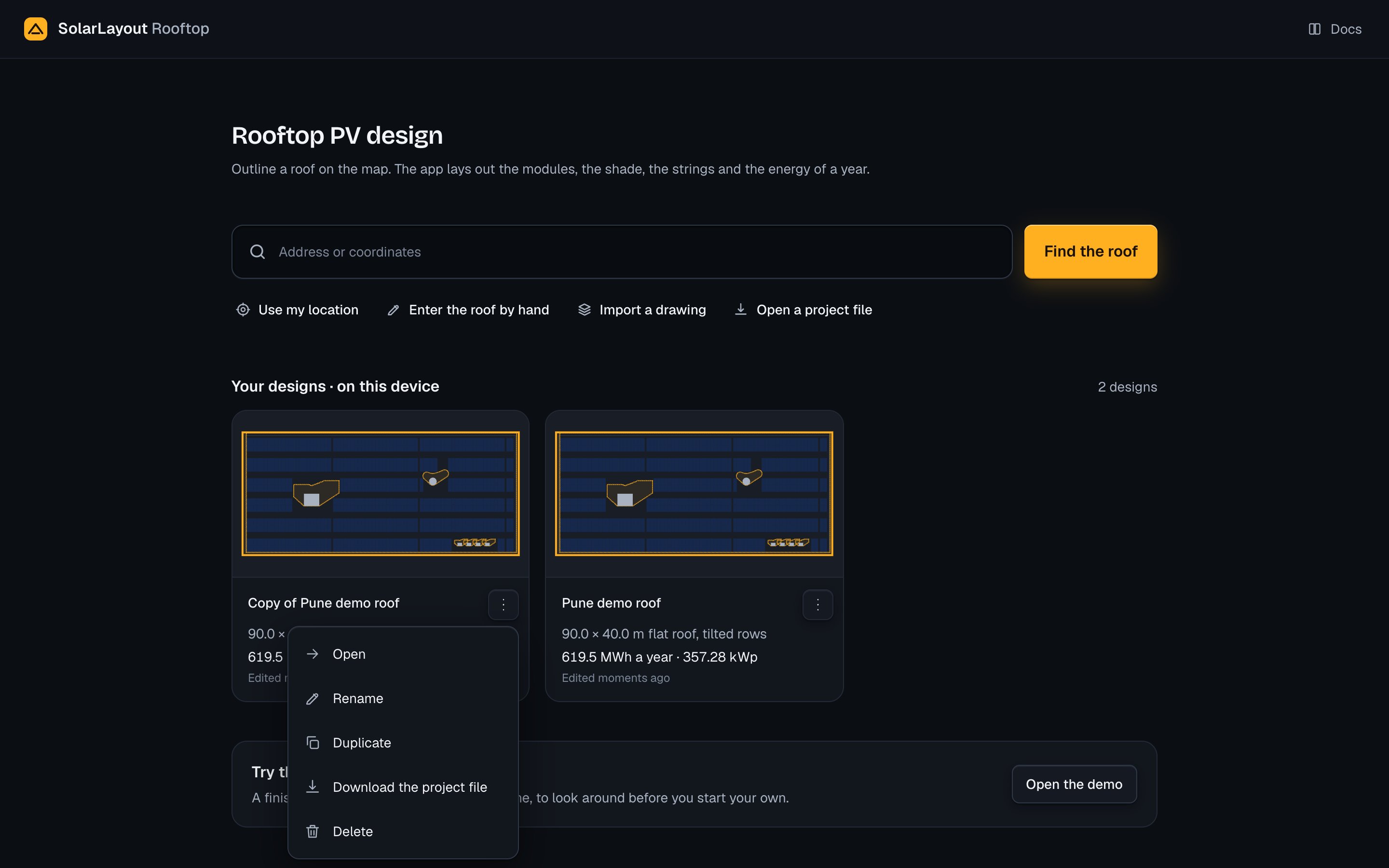
Delete asks "Delete <name>?" with "It is saved on this device only.", and Cancel, which has the focus, and Delete. If you delete the design that is open, it stays open, marked Not saved; its next change keeps it again, as a design of its own.
A design is on this device only. Before you delete one you may need again, download its project file.
Open a project file
Open a project file from Home, the link Open a project file under the search, or from the project menu, Open a project file.
Open the dialog
Press Open a project file. The dialog says "A design downloaded from the app as one file."
Choose the file
Drop the .rtd file on "Drop the project file here", or press
Choose a file. The app reads it at once: "Reading the file", then the file's
name, the design's name and its roof. If the file names a module, inverter or
weather file it does not carry, a note under it says so.
Open it
Press Open. It waits until the file is read. The design is kept on this device as a design of its own, and opens in the Studio at the step you last had open there. The design that was open stays as it was.
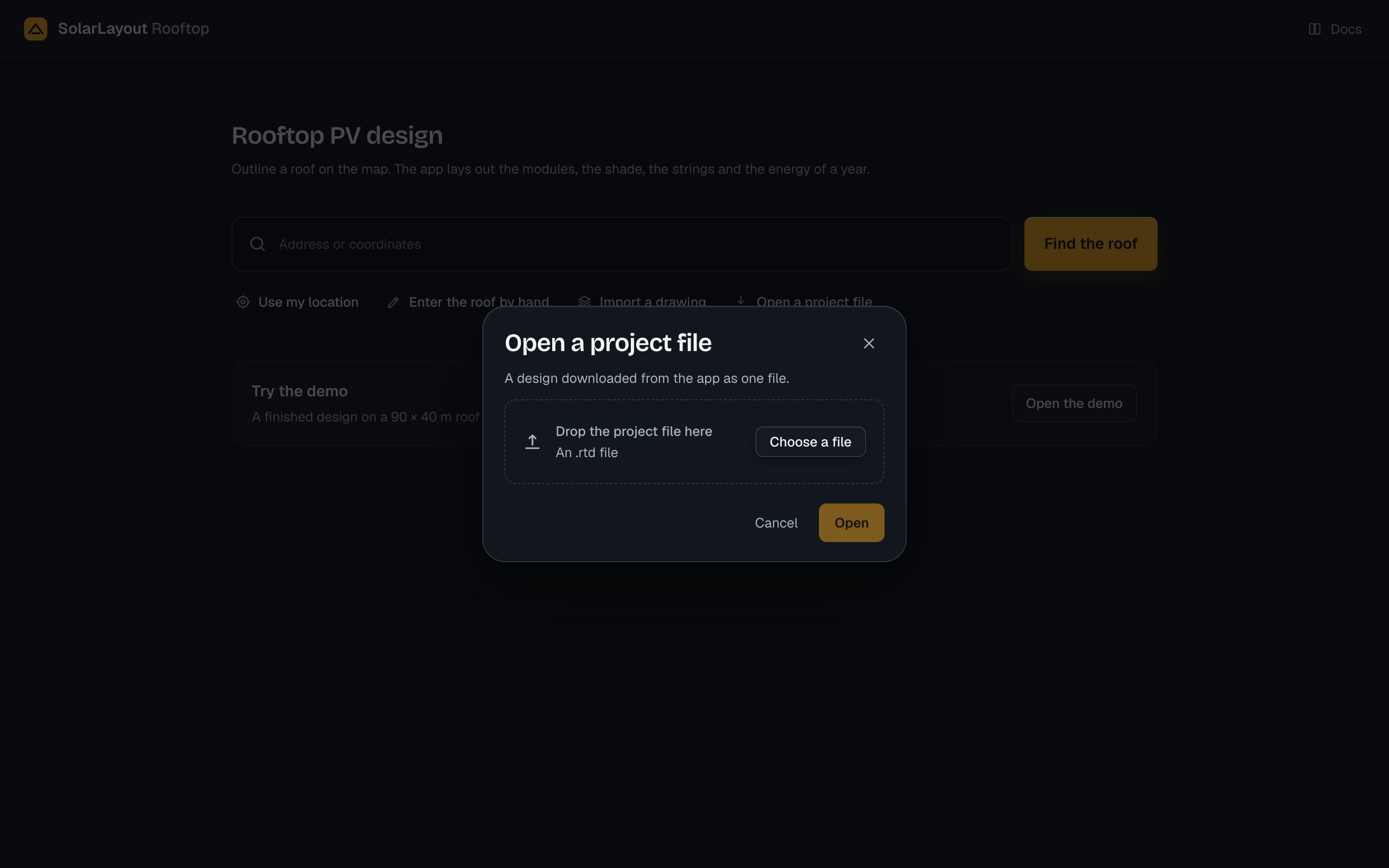
Each open keeps a design of its own: the same file opened twice gives two designs. To read another file before you press Open, press Choose another, or choose a second file while the first is read; the second replaces it.
The design comes back as it was saved, and runs: the layout, the shade, the options and the energy are worked out again. The weather it carries is used while its source is the design's and its place is the roof's; otherwise the app loads the weather again for the roof's place.
A file without a system voltage gets your country's, set by the app: 600 V in the United States and its territories and in Canada, 1000 V elsewhere. See System voltage.
A project file of an older kind may name its equipment or weather files without carrying them. The dialog then says, for each:
- "The module file <name> (PAN) is not included in this project. Choose it again."
- "The inverter file <name> (OND) is not included in this project. Choose it again."
- "The CSV weather file <name> is not included in this project. Choose it again."
Open it, then choose each file again where the design asks for it.
When a file will not open
A file the app cannot open stays out: the drop area says File not loaded with the reason, and Choose another.
| The app says | Why | What to do |
|---|---|---|
| Choose a project file (.rtd). | The file's name does not end in .rtd | Choose the .rtd file |
| This file is larger than any project file the app saves. Choose another. | The file is larger than 6 MiB | Choose the project file the app downloaded |
| The file could not be read. Choose another. | The browser could not read the file | Choose it again, or another copy |
| The file is not a project file (.rtd): it is not JSON. | The file is not the app's text | Choose a project file the app downloaded |
| The file is not a project file (.rtd): its JSON is not an object. | The same | The same |
| The file is not a project file (.rtd): it has no <part>. | A part the design needs is missing, such as "it has no roof." | Download the project file again from where it was made |
| The file is not a project file (.rtd): it cannot be read as one (<reason>). | A value of the wrong kind | The same |
| The project file cannot be opened: <field>: <reason> | A value is outside what the app takes | The same |
| This project file is format <n>. This version reads formats 1 and 2. Open it with a newer version of the app. | The file was made by a later version of the app | Open it with the version of the app that made it, as the message says |
| This outline covers <area> m². SolarLayout designs one roof at a time, up to 30,000 m² (about 3 MWp). For a larger site, outline each building as its own design. | The roof is over 30,000 m² | Outline each building as its own design |
| The server could not be reached. Check your connection, then try again. | No answer from the app's server | Check the connection, then press Try again |
| The server did not answer. Try again in a moment. | An answer the app could not read | Press Try again in a moment |
For other messages, see Saving and opening.