Data exports
Every CSV, plot and text export with its exact action label and file type, plus saving and opening a project as .slb.
Beyond the PDF and Word reports, the application exports the same run as CSV, plot and plain-text files, and saves the whole session as a project file you can reopen later.
The data and text exports
| Action | Produces |
|---|---|
| Export Plot (PNG)… / 💾 Save Plot | The Dashboard figure, saved as .png or .pdf — both extensions are offered in the same save dialog, at 150 dpi |
| Export Report (TXT)… | The same plain-text report as the Summary tab, saved as .txt |
| Export DFR CSV… / 📊 Save DFR CSV | Monthly DFR .csv; plus a second <name>_15min.csv per-interval detail file when a 15-minute DFR target is set |
| Export Time-Series CSV (Dashboard Data)… / 🕒 Time-Series CSV | A 15-minute .csv of every dashboard series — solar/wind/total generation, contracted capacity, scheduled/delivered, exported energy, battery charge/discharge, SOC, SOH |
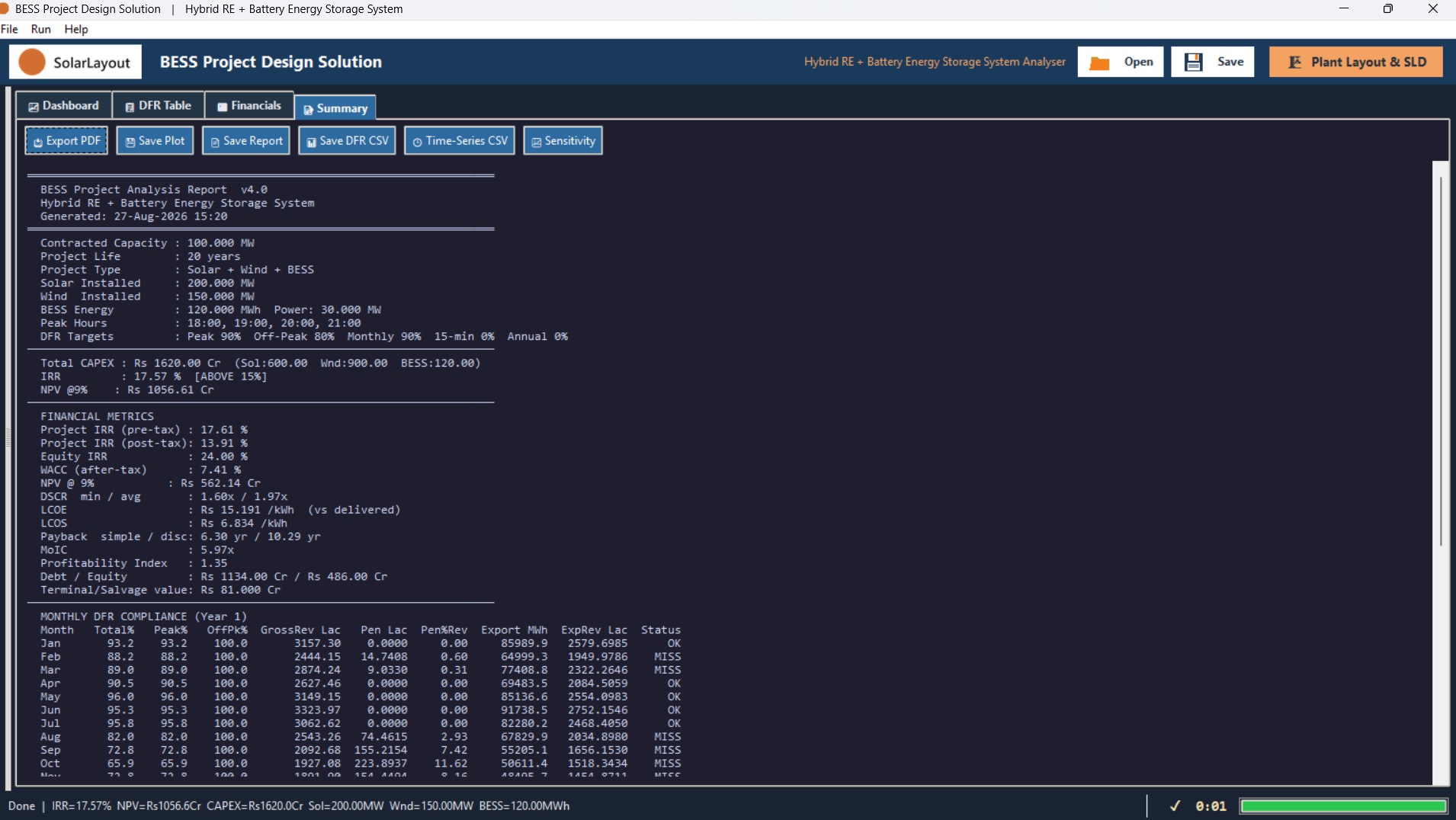
Each export above has a duplicate button on the Summary tab toolbar, listed beside its File-menu label, except Export Report (TXT)…, which lives only in the File menu. See the summary report for the toolbar in context.
Every export on this table needs this device activated — the same requirement as ▶ Simulate, ⚙ Optimise, and the PDF and Word reports. See How access works.
Saving and opening a project
Save Project (.slb)…, in the File menu, and the top banner's Save
icon button write the whole session to a single .slb file — your inputs,
the loaded generation data, the last run's results, and the Plant Layout/SLD
drawing. Open Project (.slb)…, in the File menu, and the top banner's
Open icon button restore your inputs and the Plant Layout/SLD drawing
from a .slb file.
Neither needs this device activated — saving and opening a project is free, along with loading a generation profile and the plant designer itself.
A .slb file is not plain text. It carries a compressed payload behind its
own file signature, so it opens only in the application — not in a text
editor.
For what the plant designer's own inputs and drawings do when you save or open a project, see Exporting the drawing.