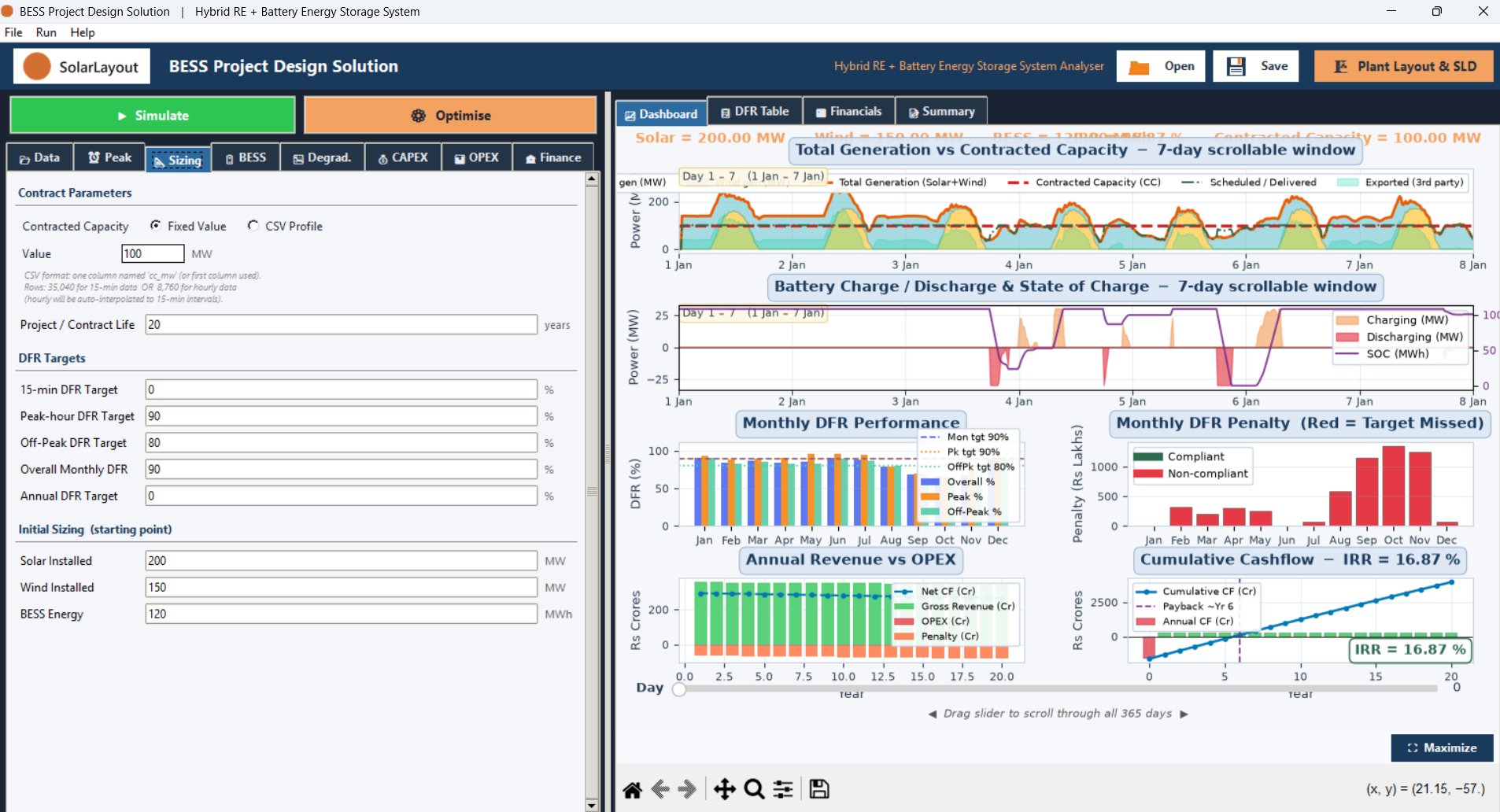
What BESS Desktop does
A Windows application that sizes and financially models hybrid renewable-energy and battery-storage projects, from a dispatch simulation to a report.
BESS Desktop is a Windows application for sizing and financially modelling hybrid renewable-energy and battery-storage projects — solar, wind, or both, paired with a battery energy storage system. You give it how much the plant generates and what it is contracted to deliver. It runs a 15-minute annual dispatch simulation of the battery, builds a year-by-year financial model from the result, and produces a financial report and the plant's own drawings.
It opens fully usable, with no start-up window and no activation check before the input tabs. Only running an analysis, or exporting from it, needs the device activated — see Getting started.
What you give it
| Tab | What it covers |
|---|---|
| 📂 Data | The project type — which sources feed the battery — and, unless you choose the grid-only project type, a generation profile as a CSV |
| ⏰ Peak | The hours of the day the plant is on peak, and the hours it is off peak |
| 📐 Sizing | The Contracted Capacity the plant must serve, and the delivery targets it is measured against |
| 🔋 BESS, 📉 Degrad. | The battery's efficiency, depth of discharge, end-of-life and degradation assumptions |
| 💰 CAPEX, 📊 OPEX, 🏦 Finance | Capital cost, operating cost, tariffs, and financing terms |
Every one of these ships with a working default — see Your first analysis.
What it produces
- A sized plant. Solar, Wind and BESS capacities — either the ones you entered, or the mix an automated search finds for you.
- Delivery performance. How closely the dispatch meets the Contracted Capacity, read from the 📈 Dashboard and 📋 DFR Table tabs.
- A financial model. IRR, NPV and the full cash flow, re-run year by year across the project's life, on the 💹 Financials tab.
- Reports. A multi-page PDF report, a Word document, and supporting CSVs.
- Plant drawings. A plant layout and single-line diagram, opened from the 🏗 Plant Layout & SLD button on the banner.