
From site boundary to complete PV layout — in minutes.
Import a KMZ or KML boundary, set your module and table parameters, and generate a full plant layout: tables, string & central inverters, ICRs, DC/AC cabling, lightning arresters, BOM, single-line diagram and energy yield — ready to export.
Windows 10 / 11 · 64-bit · free to download and try
From download to deliverable.
Import boundary
Drop in a KMZ / KML site boundary. Obstacles, water bodies and roads are read automatically.
Configure
Load a module (.PAN), set table geometry, spacing, tilt and inverter sizing.
Generate layout
Tables, ICRs, inverters, cabling and lightning arresters are placed — respecting every setback.
Export
KMZ, DXF and a PDF layout + summary, plus BOM and single-line diagram.
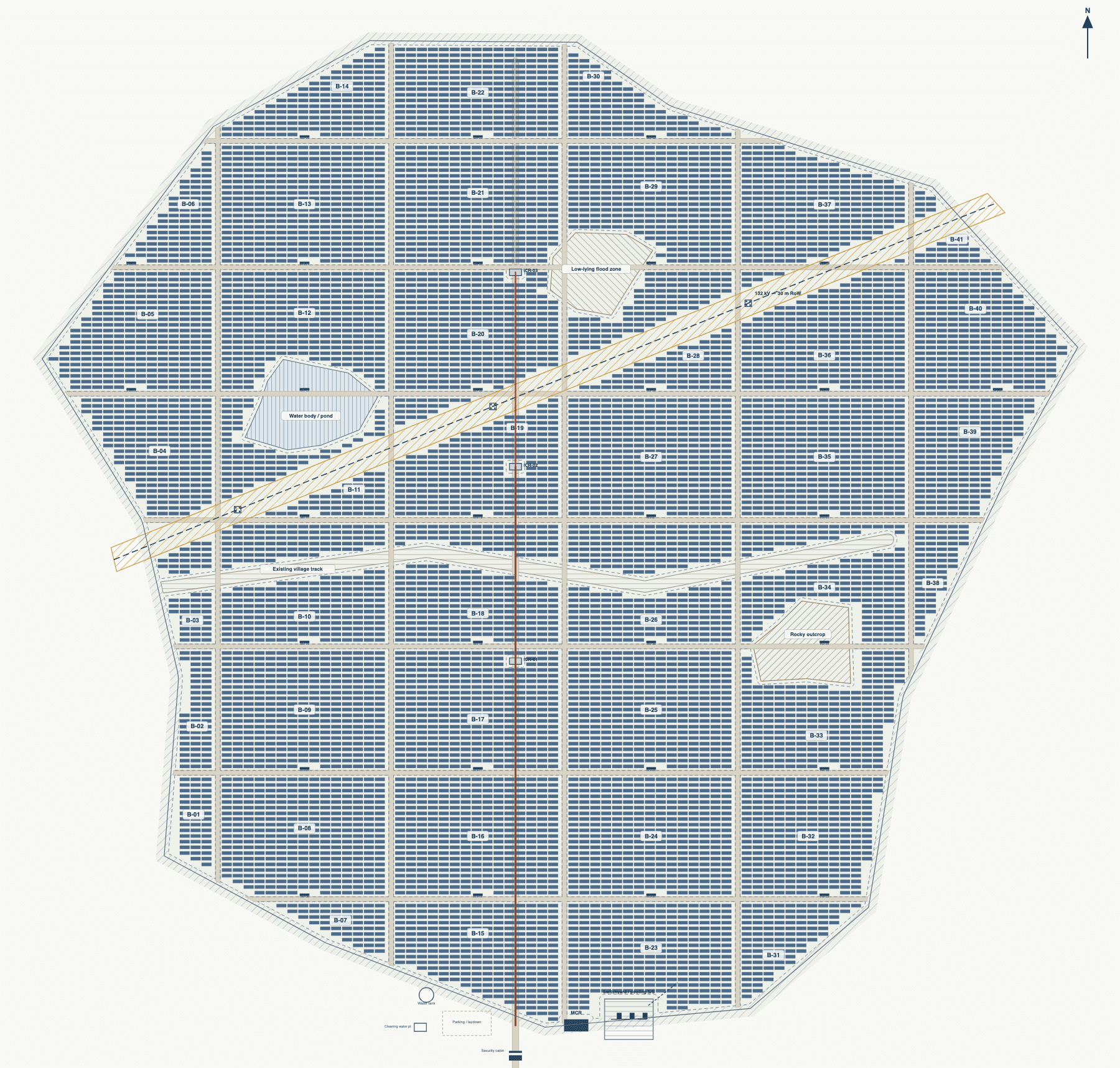
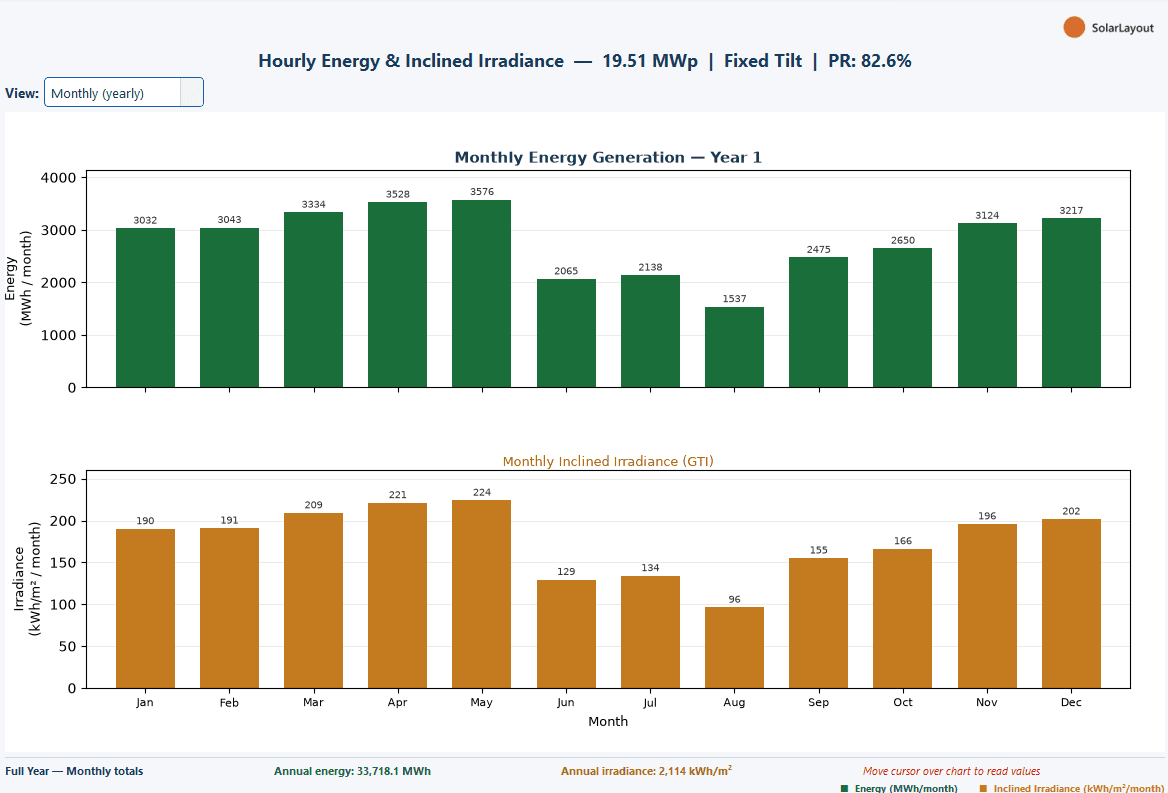
Real output, straight from the app.
Not mockups — these are actual results the app generates, ready to export.
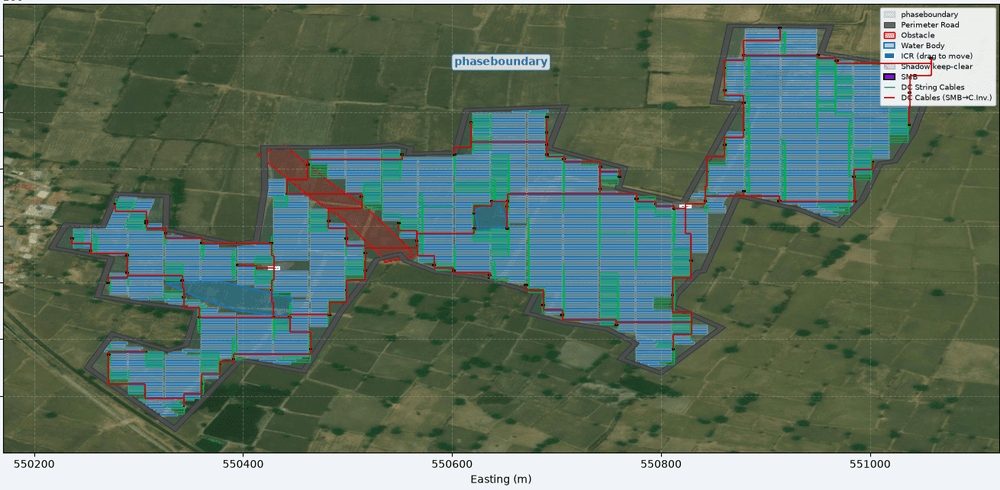
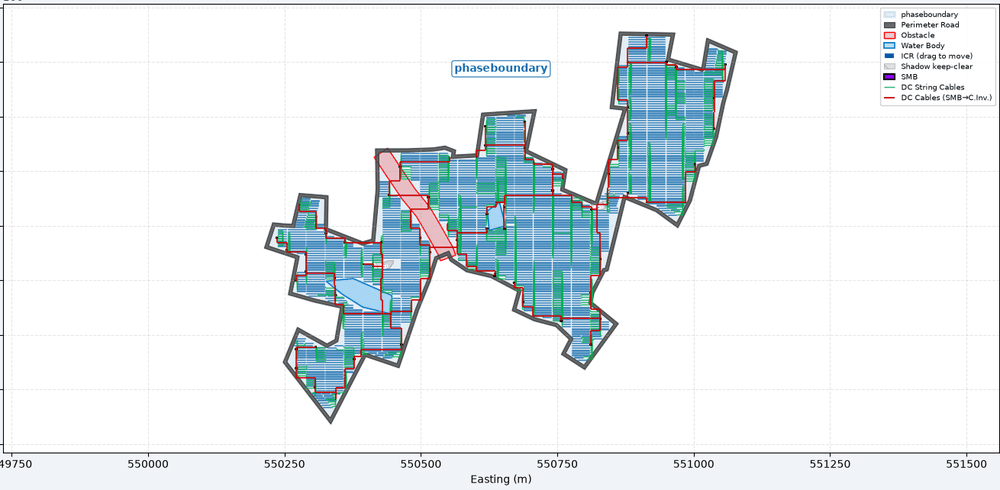
Everything from one boundary file.
Automated table placement
Fills the usable area with MMS tables, honouring obstacles, roads and shadow setbacks.
Satellite basemap
Verify the generated plant against real imagery of the actual site.
String & central inverter
K-means inverter placement with DC and AC cable routing.
DC / AC cable routing
Full cable schedule with lengths, exportable to DXF.
Lightning arresters
100 m protection grid with table clearance, auto-placed.
Energy yield (P50 / 75 / 90)
Probabilistic yield with TMY weather and a monthly energy chart.
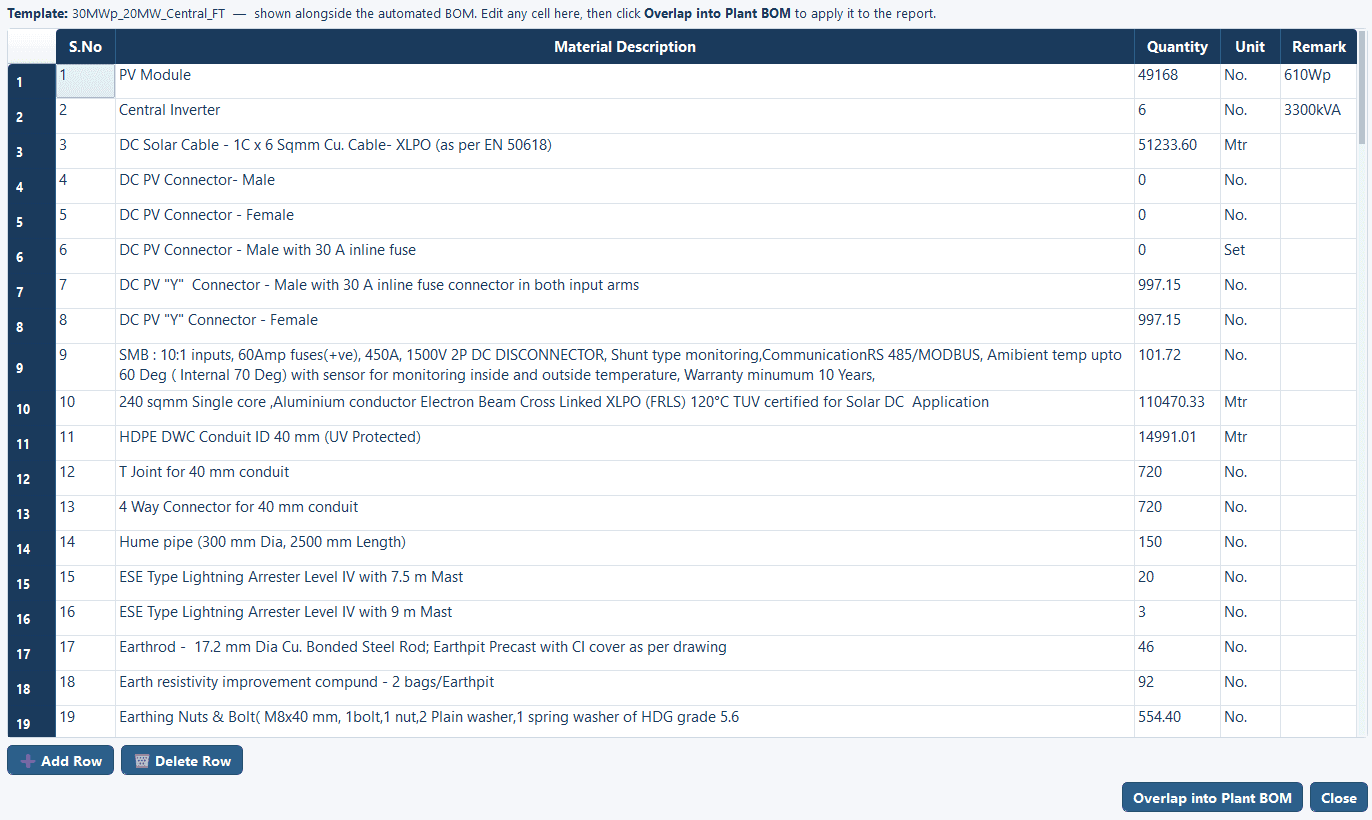
BOM & single-line diagram
Bill of materials and an auto-generated SLD for the plant.
Pile layout & sketch mode
Place piles and draw obstructions directly on the canvas.
Export KMZ · DXF · PDF
Hand-off-ready deliverables in the formats your team already uses.
Design your next plant — free to try.
Download it and generate your first layout today.
Windows 10 / 11 · 64-bit · free to download and try
Need the other app? Explore BESS