
From a roof on the map to a complete PV design — in your browser.
Find the building, outline the roof and its obstacles, and lay out the modules. String them to your inverter, see the shade through the year and simulate every hour of it — then hand over the report, single-line diagram, bill of materials and drawings.
Runs in your browser · phone, tablet or computer · free, no account needed
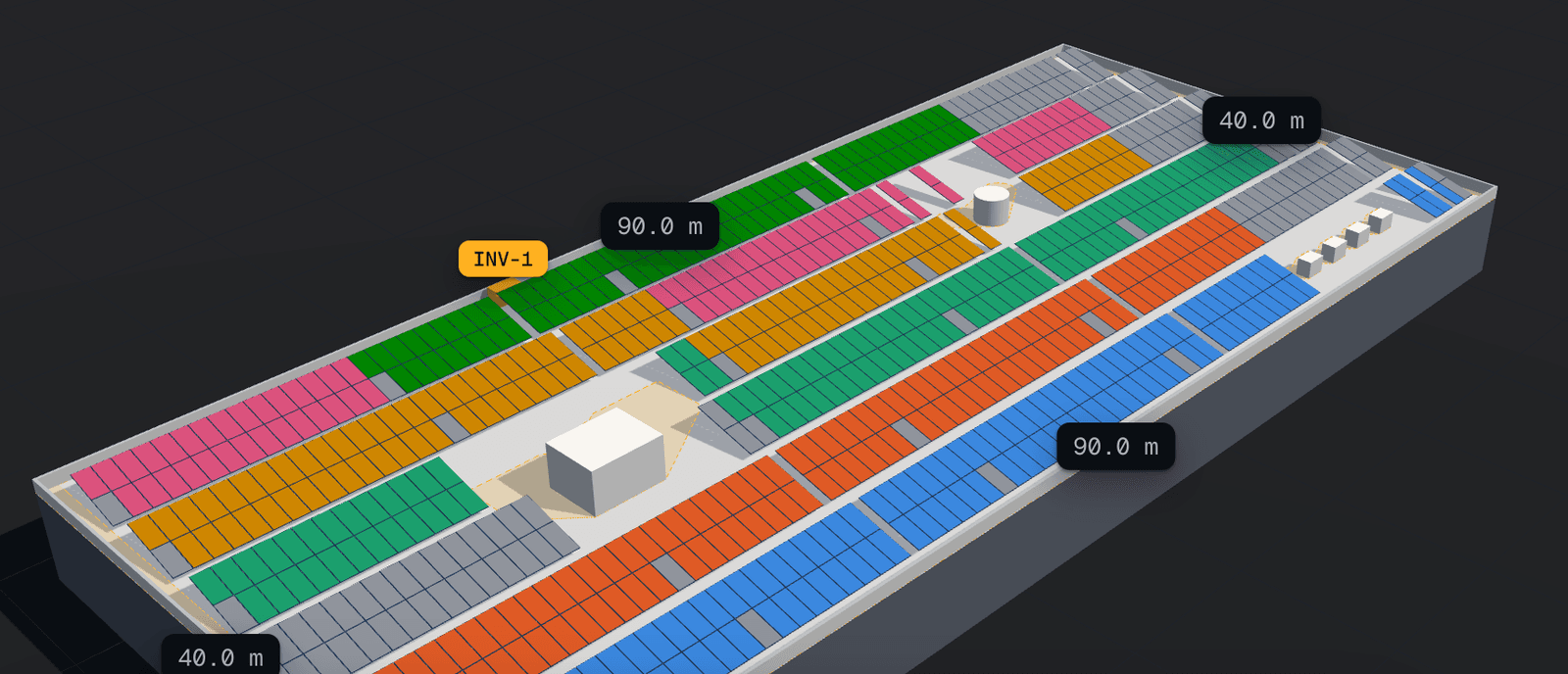
From address to deliverable.
Find the roof
Search an address or coordinates, then outline the roof on satellite imagery or by hand. Add obstacles with their heights.
Lay out the array
Choose the roof type, the module, the mounting and the spacing. The layout keeps clear of the shade of the day you design for.
String and simulate
Set the inverter; compare stringing options by DC/AC and energy. Every hour of a typical year is simulated.
Hand over
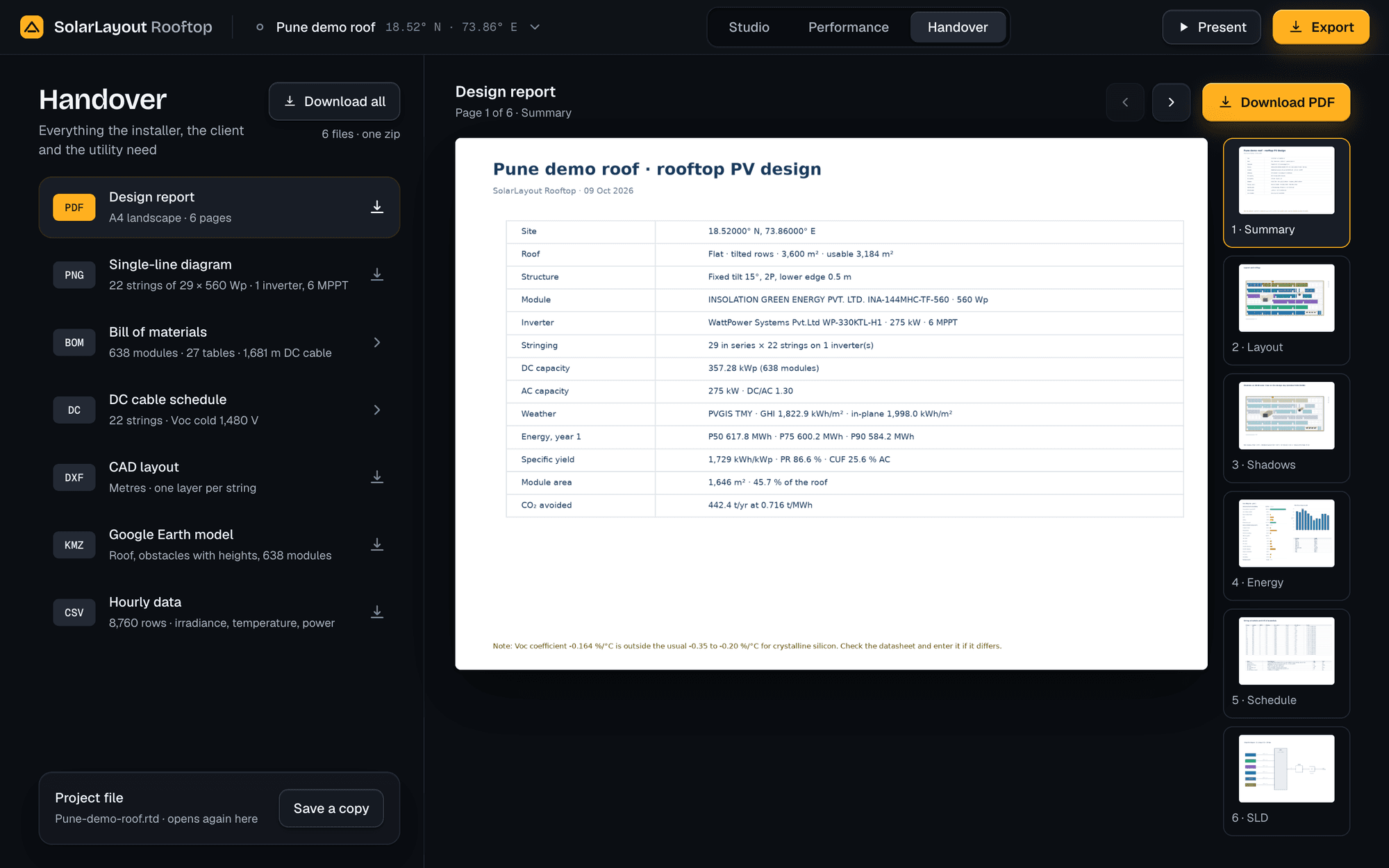
Design report, single-line diagram, bill of materials, cable schedule, DXF, KMZ and the hourly data.
Real output, straight from the app.
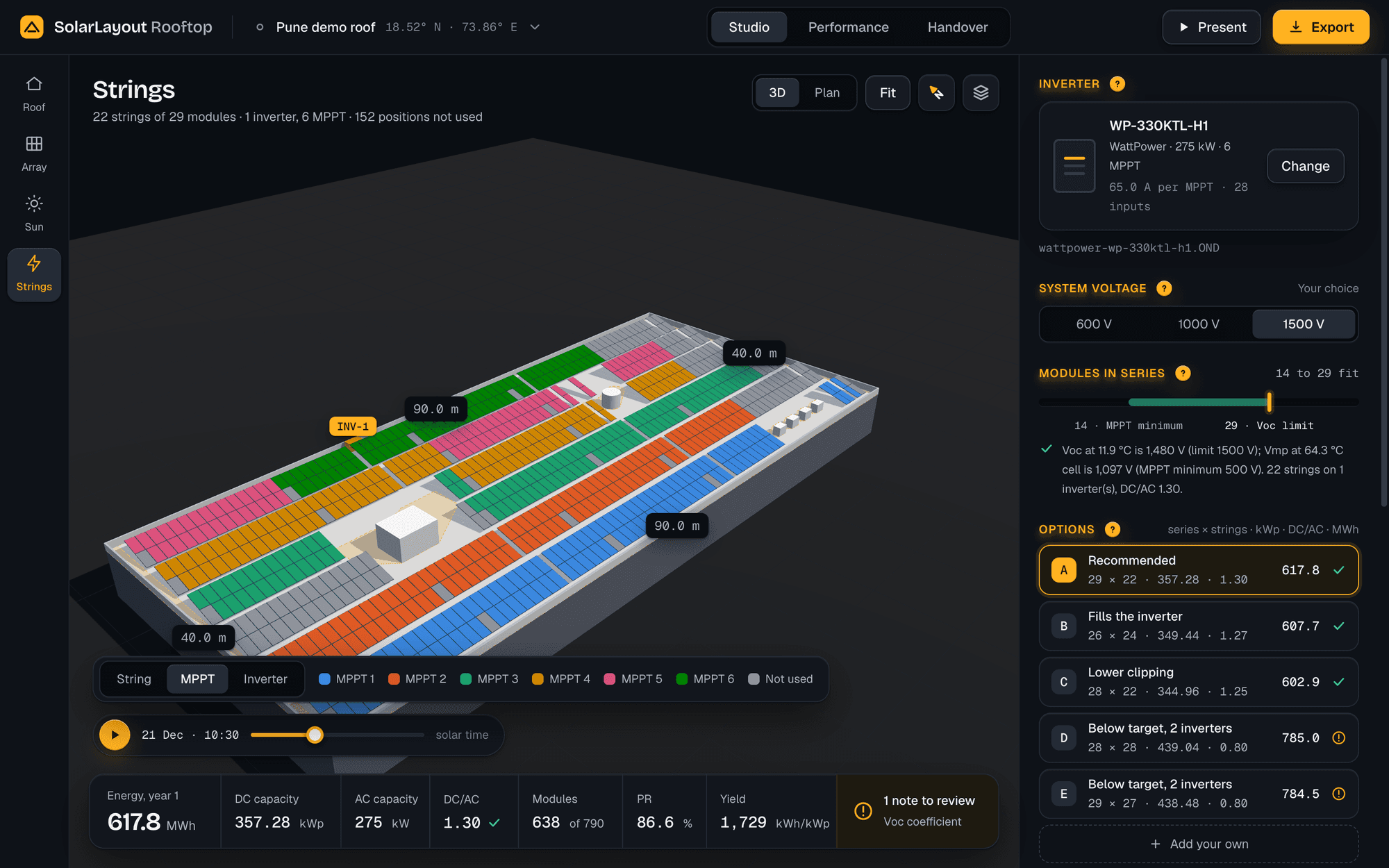
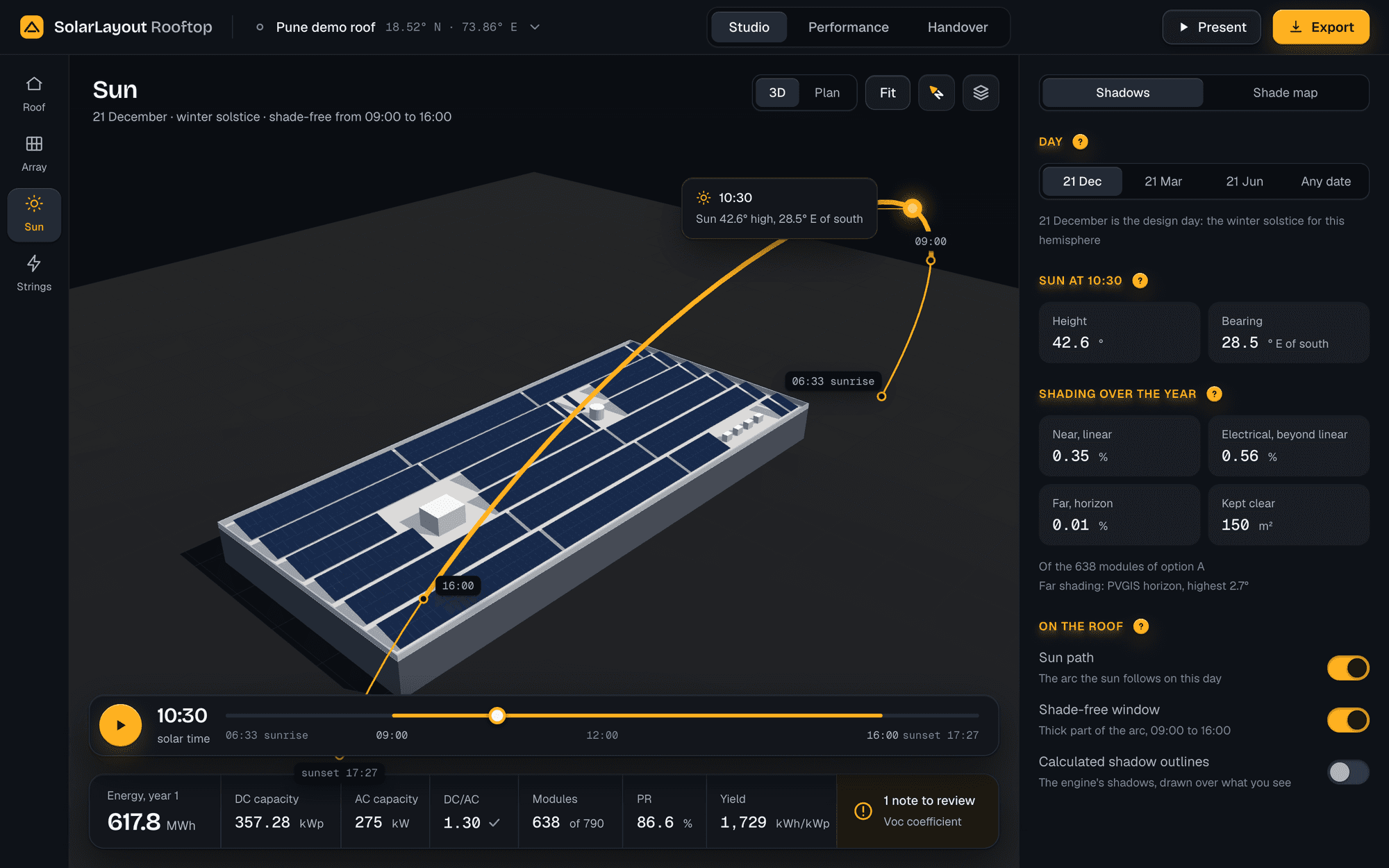
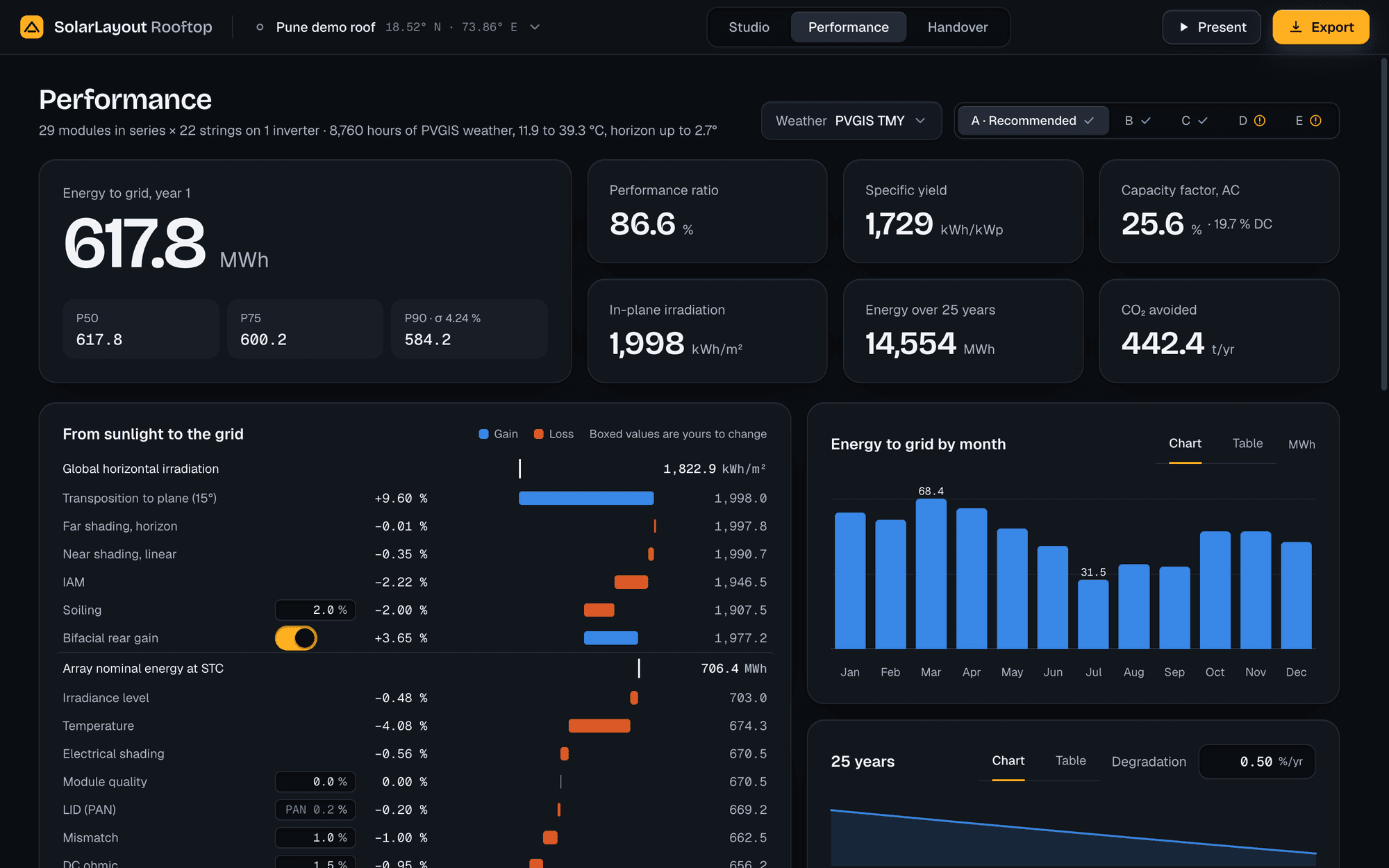
Not mockups — these are the app's own screens, on a 3,600 m² demo roof in Pune.
Everything a rooftop solar design needs.
Find and outline
Search an address or coordinates; outline the roof on satellite imagery, detect the building, or enter it by hand.
Obstacles with heights
Tanks, stair rooms, walls and trees, each with its height, so their shadows stay off the modules.
Three roof types
Flat with tilted rows, flat east-west, or sloped and flush — each laid out its own way.
Your equipment
Modules and inverters from a library of PAN and OND files, or the files of your own.
Sun and shading
Sun path, shadows at any hour of any day, and a shade map of every module over the year.
Stringing options
The series range from your system voltage; options compared by DC/AC, clipping and energy — or your own.
Energy yield (P50 / 75 / 90)
8,760-hour simulation on PVGIS weather or your own CSV, with the full loss chain.
Report · SLD · BOM · DXF · KMZ
Hand-off-ready files, one by one or in one zip, plus the hourly data.
Any device
Phone, tablet or computer; add it to your home screen. Your designs stay on your device.
Design your next rooftop solar project — free.
Open it in your browser and lay out your first roof today.
Runs in your browser · phone, tablet or computer · free, no account needed
Designing a utility-scale plant? Explore SolarLayout Desktop