
I have the Microsoft Store on my PC
Check if you have it
Press the Windows key, then type Store. If Microsoft Store appears, use this option.
Show me howHide
Get BESS
Install and open it
In the Store, click Install. When it finishes, click Open.
Pick the one that matches your PC.
Press the Windows key, then type Store. If Microsoft Store appears, use this option.
In the Store, click Install. When it finishes, click Open.
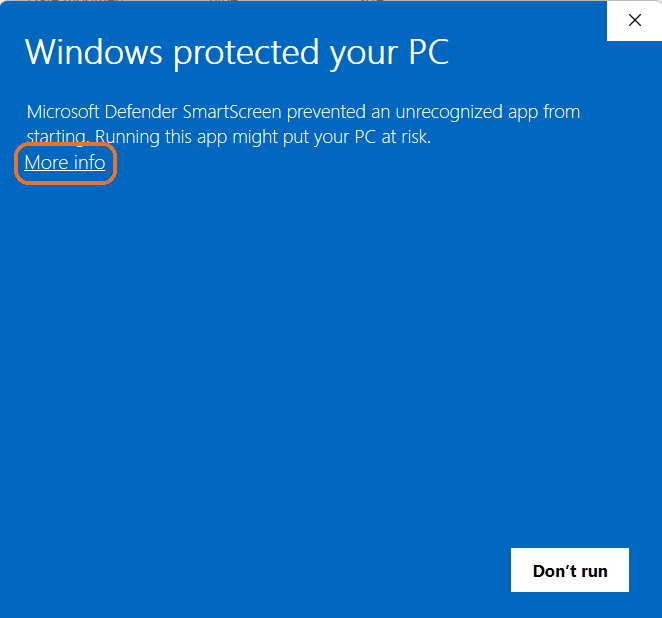
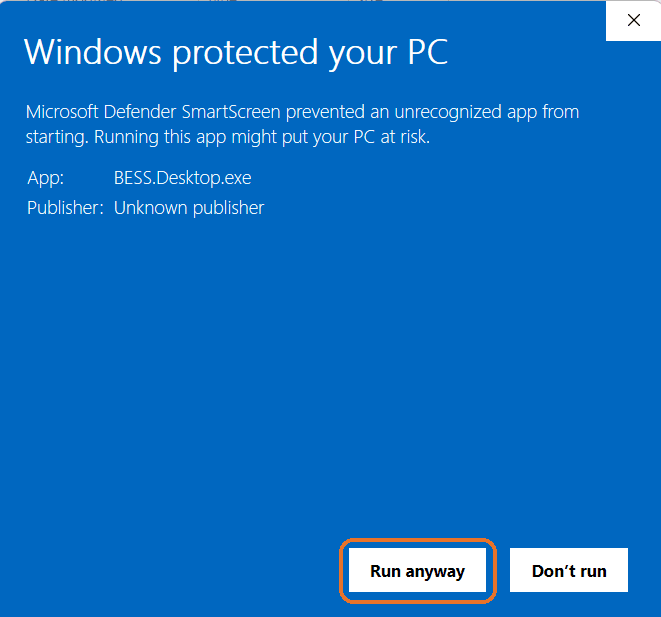
The app opens straight away. If Windows shows a blue screen, click More info, then click Run anyway.
Open the same file each time you want to use BESS. Keeping it on your desktop makes it easy to find.
Windows 10 or 11 · 64-bit · free to download and try
Need the other app? Get SolarLayout