Uploading your own hardware
The general upload workflow for PAN and OND files, plus how to fix common upload failures.
Most users only need to upload hardware when the SolarLayout managed catalog doesn't have the exact module or inverter they need. The per-format details (where to source the file, what gets parsed out) live on PAN files and OND files — this page covers the general workflow and the upload failures you might hit.
The general workflow
Open the Resource Library
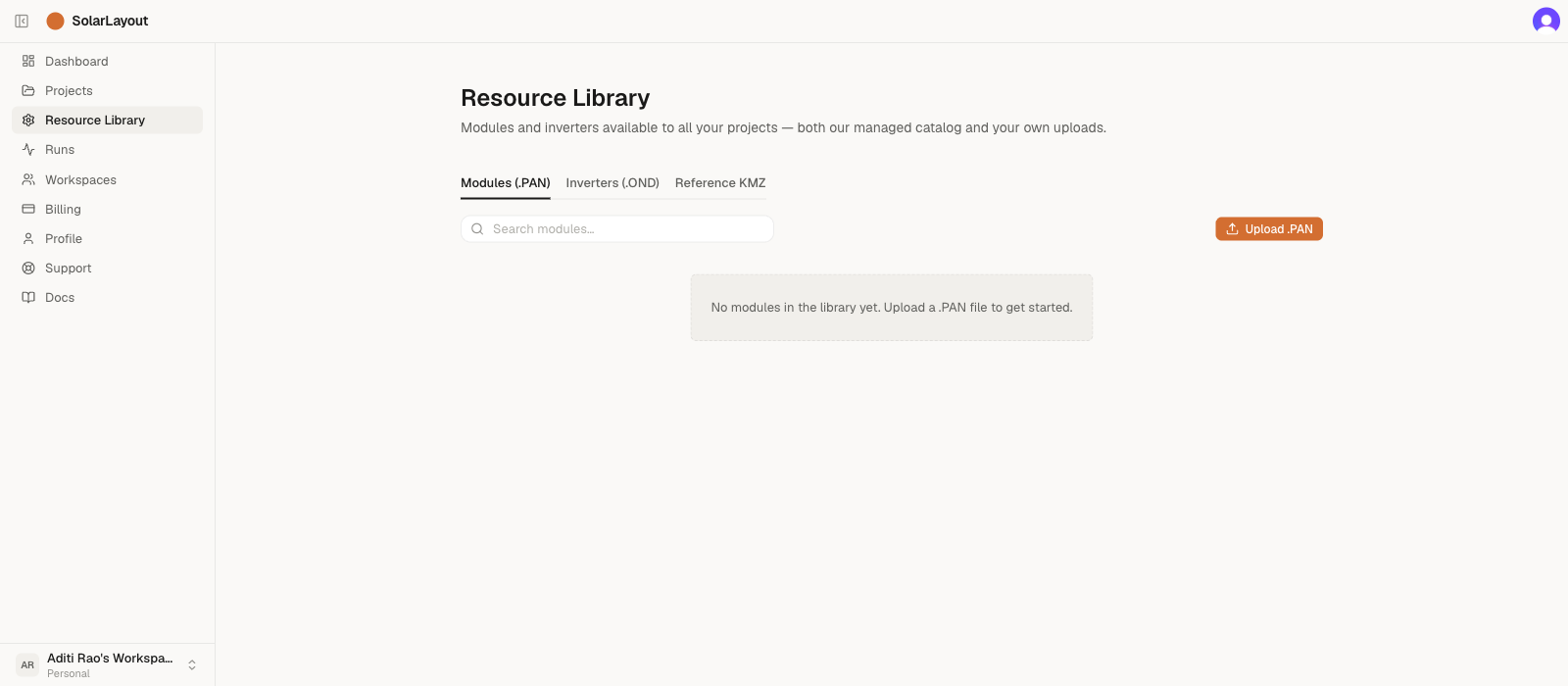
In the Dashboard sidebar, click Resource Library. The Modules (.PAN) and Inverters (.OND) tabs each have their own Upload button in the table toolbar.
Click the matching Upload button
Pick the tab matching your file:
- Modules (.PAN) tab → click Upload .PAN for solar modules.
- Inverters (.OND) tab → click Upload .OND for inverters.
A file picker opens, filtered to the right extension. The
filter is case-insensitive — .PAN, .pan, .Pan are all
accepted.
Pick the file
Select your .PAN or .OND file. SolarLayout reads the file on the
server, extracts the catalog fields, and writes a new row to your
account library. The Upload button shows "Uploading…" while the
request is in flight.
The file size cap is 256 KiB. .PAN and .OND files are typically
1–4 KB — the cap exists to bounce wrong-file picks (e.g. a 12 MB
datasheet PDF) with a friendly message instead of a server timeout.
Confirm the row
The uploaded hardware appears at the top of the relevant tab. It's
your own row, so it carries the three-dot row-action menu (used to
delete it); managed-catalog rows don't. On the mobile card view the
two tiers are also distinguished by a Managed chip on managed-catalog
rows. Your upload is now available in every project's hardware picker.
File compatibility
SolarLayout reads the industry-standard PAN and OND text formats
used by every major module and inverter manufacturer. The parser
is format-version-agnostic: it walks the PVObject_=pvModule (for
.PAN) or PVObject_=pvGInverter (for .OND) blocks and reads
named fields. As long as the file has the right object header and
the required identifiers (Manufacturer, Model, and PNom for
modules / PNomConv for inverters), it imports. There's no PVsyst
version check — the reader simply scans for named fields, so files
from any PVsyst version import the same way.
What gets validated on upload
The importer's checks are deliberately narrow:
- Right object header — the file must contain
PVObject_=pvModule(for.PAN) orPVObject_=pvGInverter(for.OND). Files without it are rejected with "Not a valid PAN file" or "Not a valid OND file". - Required identifiers present —
Manufacturer,Model, and the primary rating (PNom/PNomConv) must be readable. Other fields are optional and stored asnullif absent. - Size cap — under 256 KiB.
What's not validated today:
- No physical-plausibility check — a 10 kWp single module or a 100 MW inverter will import without complaint if the file parses. Sanity-check parsed values against the datasheet before using the row in a project.
- No duplicate detection — uploading the same
Manufacturer + Modeltwice creates two rows. The second upload is not blocked. Use the row-action menu (the three-dot icon on your own uploads) to delete the older copy if you want to clean up.
Common upload failures
"Not a valid PAN file" / "Not a valid OND file"
The full message names the missing header — "Not a valid PAN file (PVObject_=pvModule header missing)" or "Not a valid OND file (PVObject_=pvGInverter header missing)". The file doesn't contain the expected object header. Causes:
- The file is the wrong type for the tab — a
.PANclicked from the Inverters tab, or vice versa. - The file was exported from a tool that uses a non-standard format.
- The file is corrupted.
Fix:
- Confirm the file extension matches the tab.
- Re-download from the manufacturer.
- Open the file in a plain-text editor and check the first line —
it should contain something like
PVObject_=pvModule(for.PAN) orPVObject_=pvGInverter(for.OND).
"Required field missing: <field>"
The file is structurally valid but doesn't include one of the three
required identifiers — Manufacturer, Model, PNom (modules) or
PNomConv (inverters).
Fix: open the file in a text editor and look for the named field.
.PAN and .OND files are plain text. If the field is present but
renamed (some old / non-standard exports use different keys), the
cleanest path is to ask the manufacturer for a fresh standard export.
"<filename> is <size> — too large for a .PAN/.OND file"
The file is over 256 KiB. .PAN and .OND files are typically 1–4
KB — a multi-MB file is almost always a datasheet PDF or other
document picked by mistake.
Fix: confirm the file extension and contents. If you actually do need to upload a very large hardware file (rare; we haven't seen one in the wild), contact support with the file attached.
When to ask for help
The pattern that says "this needs help, not more reading":
- Repeated upload failures with the same file across multiple re-downloads.
- File from a major module or inverter manufacturer that SolarLayout can't read — that's a bug we want to know about, not a user problem.
- Hardware you need but can't find a PAN/OND for anywhere.
In any of those, email support with the file attached. Most uploads we can't read get fixed in the next release.